
Mastering volleyball legends keyboard controls is the fastest way to stop losing points to input errors. Whether you are whiffing a serve or mistiming a spike, the right keybinds and timing knowledge turn mechanical fumbles into clean, consistent plays. This guide breaks down every default bind, the rebinding process, and the precise serve and spike windows that separate casual players from reliable scorers.
Default Keyboard Layout and Core Actions
Before you touch a single setting, you need to understand what each key actually does in a match. Volleyball Legends uses a compact control scheme that maps movement, passing, setting, spiking, blocking, and serving across a handful of keys. The default layout assumes a standard QWERTY keyboard, and most players find it comfortable within the first few matches, although some actions require two-hand coordination that takes practice to internalize.
The core movement keys are W, A, S, and D, which control your player's position on the court. Because volleyball positioning matters as much as timing, you will constantly adjust your spacing with these keys while reading the opponent's formation. The Spacebar handles jumping, which is used for blocking, spiking, and serving. Your primary action key is E, which triggers passing and setting depending on the context, while Q initiates a spike when you are airborne. The Left Mouse Button also functions as a contextual action, letting you pass or set with a click instead of a keypress.
| Action | Default Key | Notes |
|---|---|---|
| Move Up | W | Primary forward movement |
| Move Down | S | Backward movement |
| Move Left | A | Lateral positioning |
| Move Right | D | Lateral positioning |
| Jump | Spacebar | Used for blocks, spikes, and serves |
| Pass / Set | E | Contextual based on ball height |
| Spike | Q | Only active while airborne |
| Serve | Left Mouse Button | Hold to charge, release to serve |
| Dive | Left Shift | Quick save for low balls |
The contextual nature of E and Q means the game reads your position and the ball's trajectory before deciding which animation plays. When the ball comes at chest height, pressing E performs a standard pass. When the ball is above your head and you press E, the game triggers a set instead. This layered input system rewards players who understand spacing, because standing in the wrong spot turns a clean set into an awkward pass that gives the opponent an easy attack.
How to Rebind Keys for Comfort and Speed
The default volleyball legends keyboard controls work, but they are not optimal for every hand size or playstyle. Volleyball Legends includes a full keybinding menu that lets you remap any action to a different key, and accessing it takes less than a minute once you know where to look. The rebinding process is straightforward, but you should plan your new layout before changing anything, because a poorly chosen bind can create conflicts that are worse than the default setup.
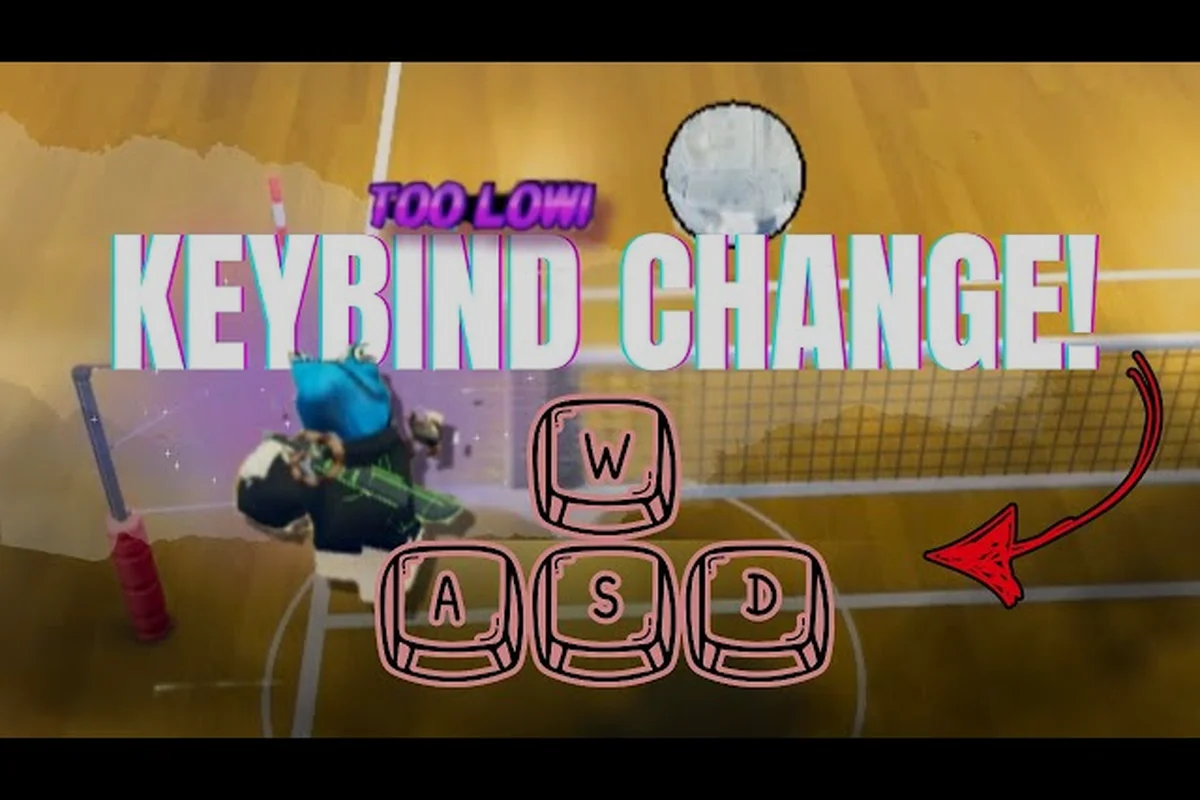
To open the keybind menu, click the Settings icon from the main lobby, then select the Controls tab. From there, hover over the action you want to change and click it, then press the new key you want to assign. The game automatically detects the input and saves it immediately, so there is no separate confirm button to worry about. If you want to reset everything, a Reset to Default button sits at the bottom of the controls panel. For a visual walkthrough, the keybind change guide from Purp demonstrates the exact menu path and confirms that the process is identical across all current platforms.
Recommended Rebinds for Faster Reactions
Most players remap Q (spike) and E (pass/set) because the default positions force your left hand to stretch awkwardly during fast rallies. A common competitive layout moves spike to Left Mouse Button and serve to Right Mouse Button, which splits actions across both hands and reduces the delay between jumping and attacking. Another popular change moves dive to C instead of Left Shift, because the Shift key can be slow to press when you are already holding W to move forward.
| Default Bind | Common Rebind | Why Players Change It |
|---|---|---|
| Q (Spike) | Left Mouse Button | Faster attack input after jumping |
| Left Mouse (Serve) | Right Mouse Button | Separates serve from attack actions |
| Left Shift (Dive) | C | Easier to reach while moving |
| E (Pass/Set) | F | Natural index finger position |
When you rebuild your layout, avoid binding two critical actions to the same key or to keys that require the same finger. For example, putting both spike and block on the same key can work because the game contextually separates them, but putting dive and jump on the same key creates a conflict that will cost you points. Test your new binds in a practice match before jumping into ranked play, because muscle memory from the default layout takes a few games to overwrite.
Serve Timing and Input Mechanics
Serving in Volleyball Legends is not just about pressing a button; it is about reading the power meter and releasing at the right moment. The volleyball legends serve guide starts with understanding that every serve uses a hold-and-release input, where the charge time determines both power and accuracy. If you release too early, the ball floats weakly over the net and gives the opponent an easy pass. If you hold too long, the ball sails out of bounds or clips the net.
The serve sequence begins when you press and hold the Left Mouse Button (or your rebound serve key) while standing behind the baseline. A circular meter appears around your character, filling from empty to full over roughly 1.5 seconds. The sweet spot sits between 70% and 85% of the meter, which produces a fast serve that stays inside the court. Releasing in the final 15% of the meter triggers a power serve that is harder to receive but carries a higher risk of missing the court entirely.
Serve Types and Their Input Windows
Volleyball Legends includes multiple serve styles, and each one uses a slightly different input pattern. The standard serve requires a simple hold-and-release with no directional input. The jump serve adds a Spacebar press before the release, which launches your character into the air and adds topspin. The curve serve requires you to hold A or D during the release, which bends the ball's trajectory left or right.
| Serve Type | Input Sequence | Ideal Release Window | Risk Level |
|---|---|---|---|
| Standard Serve | Hold LMB → Release | 70-85% meter | Low |
| Jump Serve | Hold LMB → Press Space → Release | 75-90% meter | Medium |
| Curve Serve | Hold LMB → Hold A/D → Release | 65-80% meter | Medium |
| Power Serve | Hold LMB → Release at 95%+ | 90-100% meter | High |
The jump serve is the highest-value serve for players who can consistently hit the timing, because the added height changes the ball's angle and makes it harder to read. However, the jump serve also has the tightest input window, since you need to press Spacebar while still holding the serve button, then release both in quick succession. If you release the serve button before pressing Spacebar, the game registers a standard serve instead, which wastes the setup. For a deeper breakdown of every serve variant, the serve types guide covers jump spikes, quick attacks, and set types that build on the same timing fundamentals.
Spike Timing and Execution Windows
Spike timing in Volleyball Legends is the single biggest skill gap between new and experienced players. The volleyball legends spike timing window is short, and missing it by even a few frames turns a powerful attack into a weak tap or a complete whiff. The spike sequence has three distinct phases: approach, jump, and contact, and each phase has its own input requirement that you must execute in order.
The approach phase is automatic once you move toward the ball, but you need to press Spacebar at the right moment to jump. Jumping too early leaves you hanging in the air while the ball drops below your reach, while jumping too late means you never get high enough to hit the ball cleanly. The contact phase is where you press Q (or your rebound spike key), and this input must land while your character is at or near the peak of the jump. The game displays a subtle timing indicator around the ball when you are in the correct window, which flashes white for a perfect spike and yellow for a late or early hit.
Reading the Set and Adjusting Your Timing
The hardest part of spike timing is that the window changes based on the quality of the set. A perfect set gives you a tall, slow ball that hangs at the top of its arc, creating a generous spike window of roughly 0.4 seconds. A low set forces you to jump earlier and hit the ball on the way up, which shrinks the window to about 0.2 seconds. A fast set requires you to already be airborne when the ball arrives, which means your jump input must happen almost simultaneously with the setter's touch.
| Set Quality | Ball Height | Spike Window | Recommended Jump Timing |
|---|---|---|---|
| Perfect Set | High, slow arc | ~0.4 seconds | Jump as ball peaks |
| Low Set | Flat, fast arc | ~0.2 seconds | Jump before ball arrives |
| Fast Set | Low, quick drop | ~0.15 seconds | Jump simultaneously with set |
| Back Set | High, behind setter | ~0.35 seconds | Jump after ball crosses net |
Because the set quality varies every rally, you cannot rely on a single internal rhythm for spike timing. Instead, you need to watch the setter's hands and the ball's trajectory, then adjust your jump input on the fly. Players who master this adaptive timing can spike effectively even off imperfect sets, while players who rely on muscle memory alone will whiff whenever the set deviates from their practiced pattern. The blocking guide covers the defensive side of this same timing puzzle, including how to read an opponent's spike window and position your block accordingly.
Fixing Keyboard Input Conflicts Fast
Most points lost to controls are not caused by bad reflexes; they are caused by input conflicts and timing misreads that are easy to fix once you identify them. The most common error is pressing E when you meant to press Q, which happens because both keys sit next to each other and require the same finger. Rebinding spike to a mouse button eliminates this conflict entirely and is the single highest-impact change most players can make.
Another frequent issue is holding the serve button too long, which produces a power serve that misses the court. This error is especially common in tense moments when players grip the mouse tightly and forget to release at the sweet spot. The fix is to practice the serve meter in isolation until the 70-85% release window becomes automatic, then introduce pressure situations gradually. A third common problem is jumping too early on spikes, which happens when players anticipate the set instead of reacting to it. Waiting an extra beat before pressing Spacebar solves this for most players.
| Input Error | Likely Cause | Fix |
|---|---|---|
| Wrong action triggers | Adjacent keys (E/Q) | Rebind spike to mouse |
| Serve misses long | Held button too long | Release at 70-85% meter |
| Spike whiffs | Jumped too early | Wait for ball peak before jumping |
| Dive doesn't trigger | Shift held with W | Rebind dive to C or F |
| Block fails | Jumped too late | Jump as attacker swings |
The relationship between movement and action inputs is another source of errors. When you hold W to move forward and then press Left Shift to dive, some keyboards register the combination as a different command or fail to register the dive at all. This is a hardware-level limitation called key ghosting, and it affects cheaper keyboards more than mechanical ones. If you notice your dive inputs failing only when you are moving, rebinding dive to a key that does not share a circuit with W is the most reliable fix.
Building a Practice Routine for Control Mastery
Improving your volleyball legends keyboard controls is not about grinding matches; it is about deliberate practice that isolates each input until it becomes reflexive. A structured routine that spends ten minutes per session on serve timing, ten minutes on spike timing, and ten minutes on movement drills will produce faster improvement than hours of unfocused play. The key is to practice each skill in a low-pressure environment where you can repeat the input without worrying about match outcomes.
Start with serve repetitions in the practice mode. Stand at the baseline and serve 20 times in a row, aiming for the same spot on the opponent's court each time. Track how many serves land in your target zone, and stop if you miss three in a row to reset your focus. Once you can hit your target on 15 of 20 serves, add the jump serve and repeat the process. The goal is not perfection; it is consistency, because a serve that reliably lands in bounds is more valuable than a power serve that misses half the time.
Spike Timing Drills
For spike timing, set up a self-toss drill where you toss the ball, set it to yourself, and then spike it. Because you control the set quality, you can practice the same timing window repeatedly until the jump-to-contact sequence feels automatic. After 20 repetitions, switch to receiving sets from a teammate or bot, which introduces the variability that real matches demand. The advanced techniques guide builds on these drills with jump serve and curve serve mechanics that require even tighter input windows.
| Drill | Reps | Focus | Success Metric |
|---|---|---|---|
| Serve target practice | 20 | Release timing | 15/20 in target zone |
| Jump serve reps | 20 | Spacebar + release sync | 12/20 in bounds |
| Self-toss spike | 20 | Jump-to-contact rhythm | 18/20 clean hits |
| Bot set spike | 20 | Adaptive timing | 14/20 clean hits |
| Dive save drill | 15 | Movement + dive input | 12/15 successful saves |
The final piece of the practice routine is movement integration, where you combine directional input with action keys in sequence. Set up a drill where you move from the back court to the net, jump, and spike in one continuous motion, then reset and repeat. This drill trains your fingers to transition smoothly between W, Spacebar, and Q without hesitation, which is exactly the sequence you need during a real rally. Most players see noticeable improvement within three to five sessions of this routine.
Frequently Asked Questions
How do I change my keybinds in Volleyball Legends?
Open the Settings menu from the main lobby, then click the Controls tab. Click any action and press the new key you want to assign. The game saves changes instantly, and a Reset to Default button restores the original layout if you make a mistake.
What is the best keybind for spiking?
Most competitive players bind spike to Left Mouse Button instead of the default Q. This splits actions across both hands and reduces the delay between jumping and attacking. Serve can move to Right Mouse Button to avoid input overlap.
How do I serve with power without missing the court?
Hold the serve button until the meter reaches 70-85%, then release. This window produces a fast serve that stays in bounds. Releasing above 90% triggers a power serve with higher risk. Practice the release timing in practice mode until it becomes automatic.
Why does my spike keep missing the ball?
You are likely jumping too early or too late relative to the set. A perfect set gives about 0.4 seconds of spike window, while a fast set shrinks it to 0.15 seconds. Watch the ball's peak and press spike when the timing indicator flashes white.
Can I use a controller instead of a keyboard?
Yes, Volleyball Legends supports controller input, but the keyboard layout is the default and most guides assume QWERTY binds. If you switch to controller, you will need to relearn the timing windows because the input feel changes significantly.