
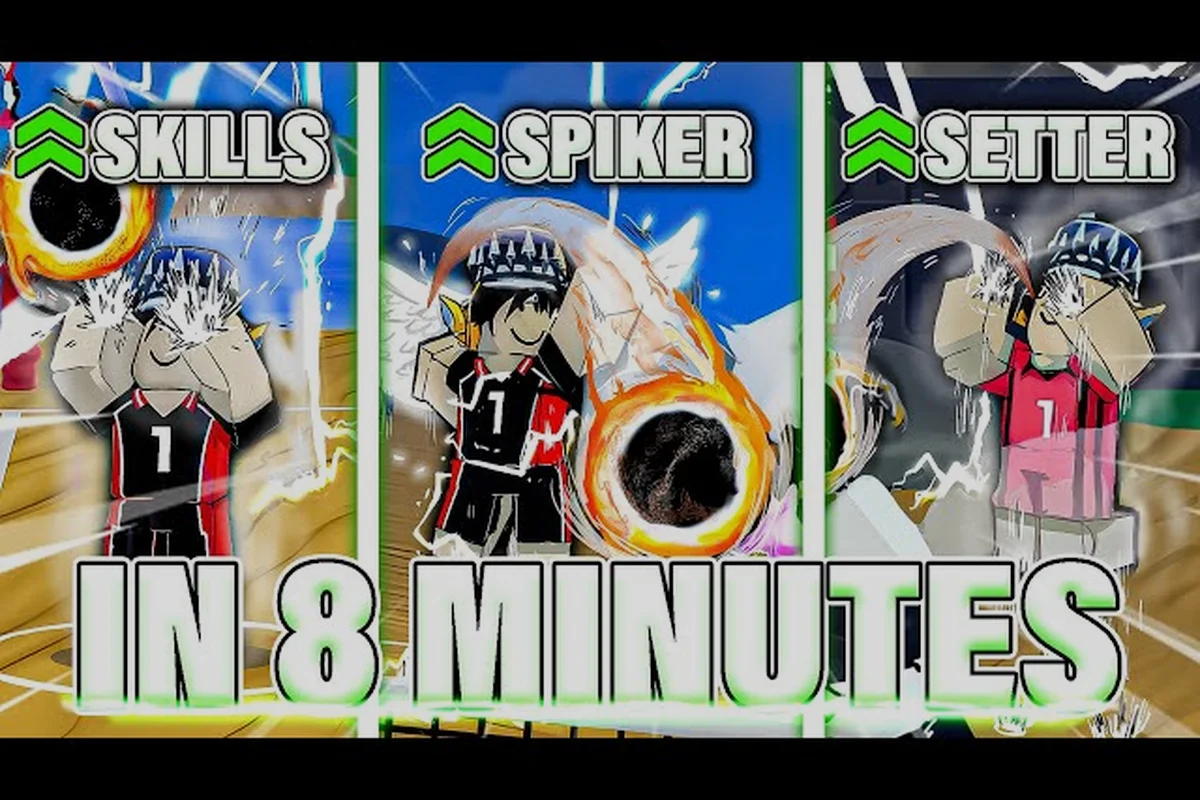
Understanding how many players fill each Volleyball Legends lobby changes how you approach every queue, because queue times, rotation pressure, and even your preferred position all shift with the headcount. A standard ranked match runs 6v6, but casual and custom lobbies stretch from 2v2 up to chaotic 8v8 depending on the server settings. This guide breaks down every player count, then covers console and mobile controls so you can jump into any server without fumbling the first serve.
Player Counts Across Every Volleyball Legends Mode
Volleyball Legends does not lock every mode to the same roster size, which means the number of players you see in a lobby depends entirely on where you queued. The ranked ladder uses a strict 6v6 format that mirrors real volleyball rotations, while casual servers often relax the cap to let more friends pile into the same court. Knowing the exact headcount before you queue prevents the frustration of joining a server that cannot fit your group.
The table below summarizes the player counts reported by community testing across the main modes as of the current patch. Some values shift when a server owner tweaks custom settings, so treat the casual and custom rows as flexible ranges rather than fixed rules.
| Mode | Players Per Team | Total Players | Notes |
|---|---|---|---|
| Ranked | 6 | 12 | Strict 6v6, locked rotation |
| Casual | 2-6 | 4-12 | Server owner can set cap |
| Custom | 1-8 | 2-16 | Full control over team size |
| Pickup | 3-4 | 6-8 | Fast queue, smaller lobbies |
| Practice | 1 | 1 | Solo drills, no teammates |
The 6v6 ranked format is the core competitive experience because it forces every player into a defined role: two outside hitters, two middles, a setter, and a libero. When a lobby drops below six per side, the game automatically adjusts rotation rules so that fewer players cover more court, which is why casual 3v3 matches feel faster and more chaotic than ranked play. Players who want the full tactical depth should stick to ranked, while anyone chasing quick reps can queue pickup without waiting for a full twelve-player lobby to fill.
How Console Player Counts Affect Matchmaking
Console players in Volleyball Legends share the same matchmaking pools as PC and mobile users, so the total player count in any given queue reflects cross-platform demand rather than a single platform's population. This is good news for volleyball legends console players who worry about dead lobbies, because the shared pool keeps queue times short even during off-peak hours. However, console players should know that input-based matchmaking is not enforced, meaning a controller user can face keyboard or touchscreen opponents in the same ranked match.
The practical impact of this shared pool shows up most clearly in ranked queues. When a server needs twelve players to start, the matchmaker pulls from every platform simultaneously, which means a console player rarely waits more than a minute or two during peak evening hours. Community reports suggest that Xbox and PlayStation users see nearly identical queue times because both platforms route through the same server browser, and neither platform receives priority treatment in lobby placement.
| Platform | Queue Time (Peak) | Queue Time (Off-Peak) | Input Support |
|---|---|---|---|
| PC | 15-40 seconds | 1-3 minutes | Keyboard, controller |
| Xbox | 20-45 seconds | 1-4 minutes | Controller |
| PlayStation | 20-45 seconds | 1-4 minutes | Controller |
| Mobile | 30-60 seconds | 2-5 minutes | Touchscreen |
The table above reflects community-reported averages rather than official figures, so your experience may vary by region and time of day. Console players who want the fastest queues should enable crossplay in the settings menu, because disabling it restricts the matchmaker to same-platform users and can triple wait times during off-peak hours. The tradeoff is that crossplay lobbies sometimes include mobile players with higher latency, which can cause slight hit-registration delays on spikes and blocks.
Mobile Controls and Touchscreen Layouts
Volleyball Legends mobile controls use a simplified touchscreen layout that maps the core actions to large, thumb-friendly buttons on the right side of the screen. The left side of the screen acts as a virtual joystick for movement, while the right side hosts dedicated buttons for spike, block, set, and dive. This layout keeps the most important actions within easy reach, but it does require a short adjustment period if you are coming from a controller or keyboard.
The biggest challenge for mobile players is executing precise timing on spikes and blocks, because touchscreen inputs have a slight delay compared to physical buttons. Community testing suggests that mobile players should enable the auto-aim assist option in the settings menu, which helps snap your character toward the ball during fast rallies. Without this assist, mobile players often whiff on spikes because the virtual joystick cannot match the precision of a controller stick.
Mobile Layout Customization
Mobile players can rearrange the on-screen buttons through the HUD customization menu, which is accessible from the settings tab. This feature matters because the default layout places the dive button close to the spike button, and accidental dives during a rally are a common complaint among new mobile users. Spreading the buttons apart reduces misinputs and gives your thumbs more room to work.
The customization menu also lets you resize individual buttons, which helps players with smaller screens or larger thumbs. A common recommendation from the community is to enlarge the block button by 20-30% because blocking requires the fastest reaction time of any action in the game. When the block button is too small, you will consistently arrive a frame late and give up free points to opposing hitters.
Xbox and PlayStation Controller Bindings
Volleyball Legends Xbox controls and volleyball legends playstation controls follow a nearly identical button mapping, with only the face button labels differing between the two consoles. On Xbox, the A button handles jump and spike, X handles set, B handles dive, and Y handles block. On PlayStation, the equivalent buttons are Cross for jump and spike, Square for set, Circle for dive, and Triangle for block. The shoulder buttons on both consoles handle serve and quick chat.
The controller layout is widely considered the most comfortable way to play because the physical buttons provide tactile feedback that touchscreens cannot match. Players who switch from mobile to console often report an immediate improvement in spike timing and block accuracy, because the button press registers faster and more consistently than a screen tap. The tradeoff is that controller players have fewer customization options than mobile users, since the button mapping is fixed and cannot be remapped in the current build.
| Action | Xbox Button | PlayStation Button | Mobile Equivalent |
|---|---|---|---|
| Jump / Spike | A | Cross | Right-side spike button |
| Set | X | Square | Right-side set button |
| Dive | B | Circle | Right-side dive button |
| Block | Y | Triangle | Right-side block button |
| Serve | RB | R1 | Top-center serve button |
The table above covers the default bindings, but players should note that serve and quick chat share the same shoulder button on both consoles. A short press triggers the serve, while a long press opens the quick chat wheel, which can cause accidental chat messages during tense moments if you hold the button too long. Community feedback suggests that the developer is aware of this overlap, but no remapping option has been added as of the current patch.
Using the Server Browser to Find the Right Lobby
The Volleyball Legends server browser is the primary tool for finding matches outside of ranked matchmaking, and it gives you full control over the player count, region, and game mode of every lobby you join. Unlike ranked, which automatically places you in a queue, the server browser shows a live list of active lobbies with their current player counts and ping values. This transparency makes it easy to find a lobby that matches your preferred team size without waiting for the matchmaker to fill a queue.
When you open the server browser, you can filter lobbies by region, mode, and player count, which helps you avoid servers with high latency or empty slots. The most important filter for most players is the player count filter, because joining a lobby with eleven players when you want a 3v3 casual match wastes your time and forces you to back out. Setting the filter to your preferred team size before browsing saves several minutes of trial and error.
Finding Friends and Joining Their Lobbies
Volleyball Legends join friends functionality works through the social menu rather than the server browser, which is a common point of confusion for new players. To join a friend, open the social tab from the main menu, select your friend's name from the list, and choose the Join Server option. This automatically places you in their current lobby if there is an open slot, and it bypasses the server browser entirely.
The join friends feature works across all platforms, so a PlayStation player can join a PC friend's lobby without any extra steps. However, the feature only works if the friend's lobby has an open slot and the lobby is not set to private. If the lobby is full, you will receive a server full notification and need to wait for someone to leave before retrying. The full server guide explains how to handle full lobbies and find the best region for your connection.
How Player Count Changes Your On-Court Role
The number of players on each team directly changes how much court you are responsible for covering, which means your role in a 6v6 match looks completely different from your role in a 2v2 or 3v3 lobby. In a full six-player rotation, you can specialize in one position and trust your teammates to cover the rest of the court. In a smaller lobby, every player becomes a hybrid who must handle setting, hitting, and blocking on every rally.
This dynamic is most obvious in 2v2 custom matches, where both players on a team must cover the entire court with no dedicated setter or libero. The player in the back row handles digs and sets, while the front-row player focuses on blocks and spikes, but both players need to be ready to switch roles at any moment. Players who only practice in full lobbies often struggle when they jump into a small custom match because they are not used to covering that much ground.
| Team Size | Court Coverage Per Player | Best Position Strategy | Difficulty |
|---|---|---|---|
| 6v6 | Small zone | Specialize in one role | Low |
| 4v4 | Medium zone | Hybrid of two roles | Medium |
| 3v3 | Large zone | All-around player | High |
| 2v2 | Entire half-court | Full hybrid | Very high |
The table above shows why smaller lobbies demand more from each player, and it explains why many players prefer 6v6 ranked for serious competition while using smaller lobbies for skill development. Practicing in a 2v2 or 3v3 lobby forces you to improve your all-around game because you cannot hide behind a specialized role. When you return to a full 6v6 match, the extra court awareness you built in small lobbies makes you a more effective teammate in your primary position.
Frequently Asked Questions
How many players are in a standard Volleyball Legends ranked match?
A standard ranked match uses a 6v6 format with twelve total players on the court. Each team fields two outside hitters, two middles, a setter, and a libero. This mirrors real volleyball rotations and gives every player a defined role rather than forcing constant position switching.
Can I play Volleyball Legends with fewer than twelve players?
Yes, casual and custom lobbies support smaller team sizes ranging from 2v2 to 5v5. The server owner sets the player cap before the match starts. Smaller lobbies remove specialized roles and force every player to cover more court, which makes rallies faster and more chaotic.
Do console and mobile players share the same matchmaking pool?
Yes, all platforms share the same matchmaking pools unless you disable crossplay in the settings menu. This keeps queue times short for volleyball legends console players, but it means controller users can face touchscreen opponents. Input-based matchmaking is not enforced in the current build.
How do I join a friend's lobby in Volleyball Legends?
Open the social tab from the main menu, select your friend's name, and choose the Join Server option. This works across all platforms as long as the lobby has an open slot and is not set to private. If the lobby is full, you will need to wait for a slot to open.
Can I remap the controller buttons on Xbox or PlayStation?
No, the current build does not support controller remapping. Xbox and PlayStation players must use the default bindings, which map spike to A/Cross, set to X/Square, dive to B/Circle, and block to Y/Triangle. Mobile players have more customization options through the HUD menu.